How to request data from a colleague?
Ask a colleague for scores, a file or anything else you need.
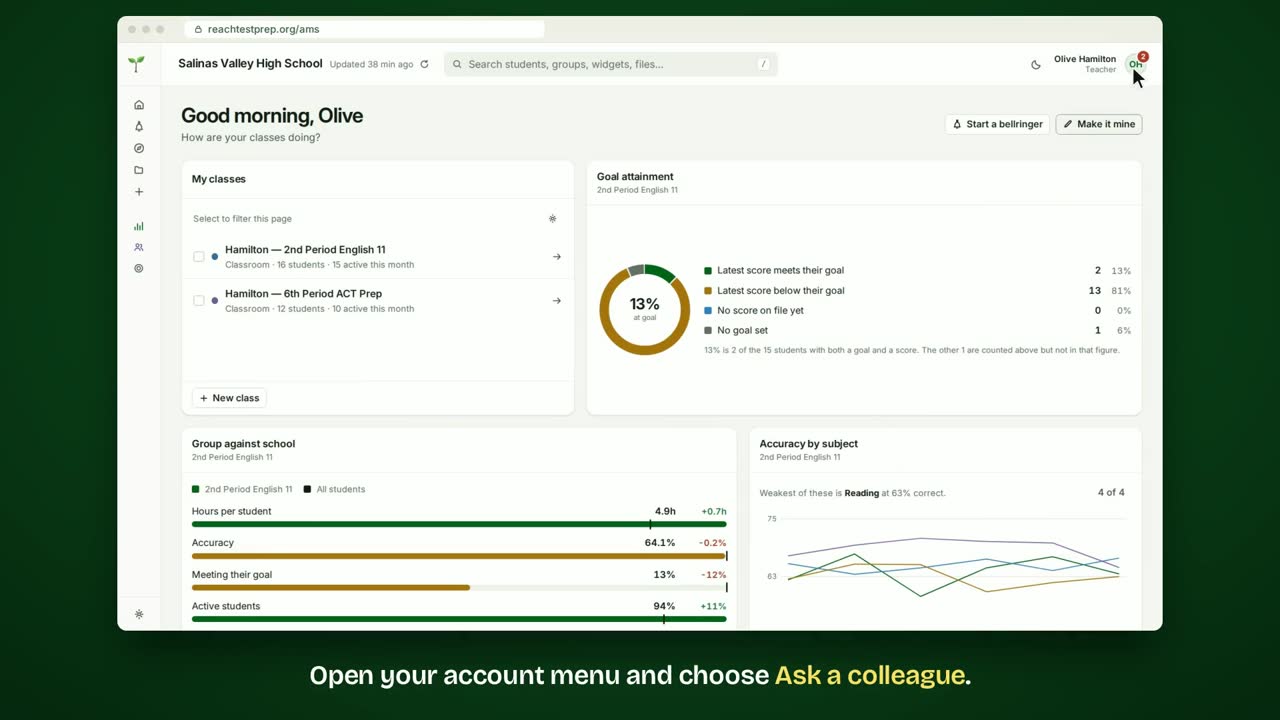
Step by step
- Open your account menu and choose Ask a colleague.
- Choose what you need: Test scores, A file or Something else.
- Say which scores you need.
- Then tick who to ask.
- Add a note if it helps, then click Send request.
- Samuel will see your request and complete it.
- What your colleague sees: The request.
- Samuel sees it when he opens his account menu.
- He clicks Fill it in to answer, right from there.
In short
Open your account menu and choose Ask a colleague. Choose what you need and fill in the details. Tick who to ask, then click Send request. Your colleague sees the request and completes it.
ACT® is a registered trademark of ACT Education Corp. Reach Test Prep isn’t affiliated with ACT. Spotted something out of date? Email reach@reachtestprep.org.