How to see which students haven't started Reach?
See how many students have opened Reach, and who hasn't yet.
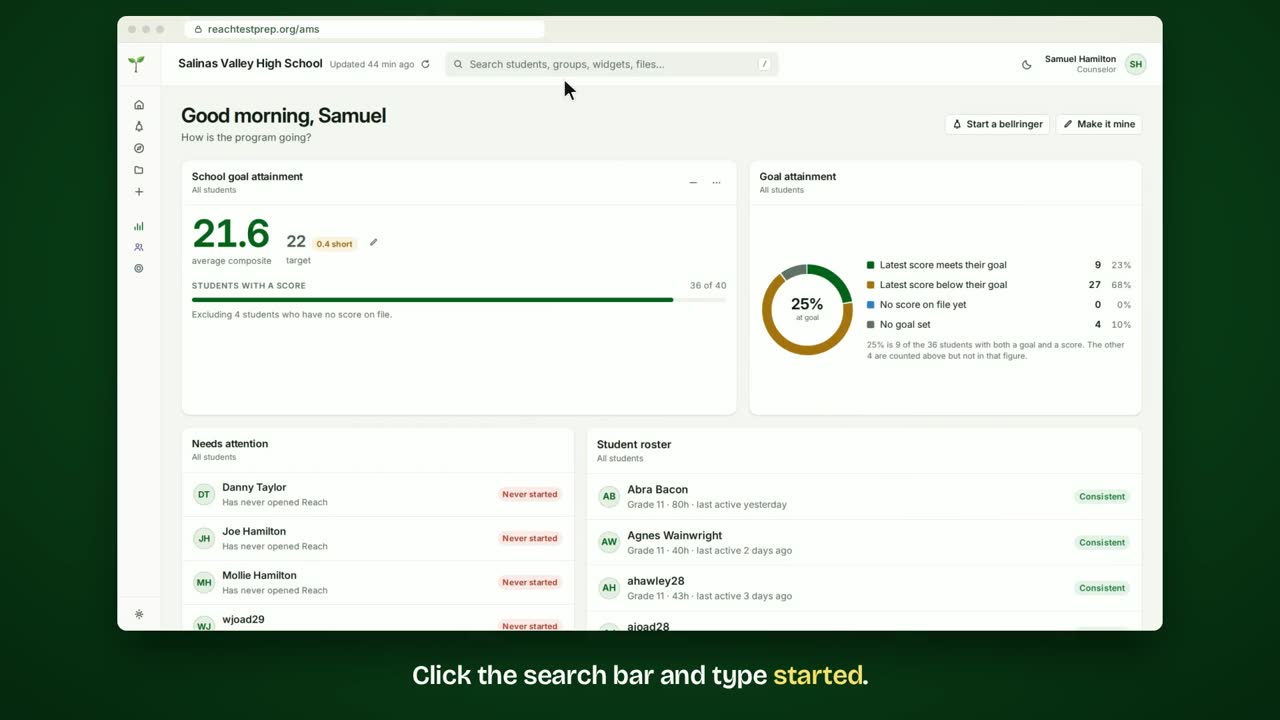
Step by step
- Click the search bar and type started.
- Choose the Adoption widget.
- The ring shows the share of students who have opened Reach.
- Under it are the students who have never signed in.
- Click a student to open their page. The widget's ⋯ menu narrows it to a class.
- To keep it, click Save and give it a name.
- It's in your menu now, ready whenever you need it.
In short
Search for started and choose Adoption. The ring shows the share who have started. The students who have never signed in are listed under it. Click Save to keep it.
ACT® is a registered trademark of ACT Education Corp. Reach Test Prep isn’t affiliated with ACT. Spotted something out of date? Email reach@reachtestprep.org.